
Filming a music video is a creative process that involves careful planning, technical know-how, and a lot of collaboration. Whether you're working with a small budget or a large team, here's a step-by-step guide to creating a music video that stands out whilst also explaining the core elements of what makes most music videos great!
Create a Concept
Effective pre-production planning is important for setting the foundation of your music video. You’ll need to define the concept, scout locations, and plan your crew and equipment. This phase also includes selecting the right styling, choreography, and visual effects to give your video a cohesive look and feel.
The first step in making your music video is deciding on the concept, which shapes the entire production. The three main types are performance, where the artist performs the song with dynamic camera angles and lighting; narrative, which tells a story that complements the song’s lyrics, often using actors or dancers; and abstract, which focuses on artistic visuals, effects, and symbolism to convey emotions without a direct storyline. Choosing the right concept is essential as it influences everything from styling to locations.
Styling your music video
Styling encompasses the visual elements of your video, including outfits, props, and special effects. Outfits should reflect the vibe of the song—bright and casual for energetic tracks, or darker and formal for serious themes. Props help tell the story or emphasise the song's theme, such as instruments or symbolic objects like a clock or letter. Special effects or overlays are digital elements added in post-production, such as lighting, colour grading, or textures, to create a unique atmosphere. Incorporating a unique handcrafted instrument, like a wooden maraca or shaker, can add a natural, analog feel and enhance the authenticity of your performance shots.
Choreography

Choreography adds energy and rhythm to your video by incorporating movement that complements the song. Plan the movement based on the song's tempo—quick, sharp moves for faster beats and slower, fluid movements for ballads. Sync the choreography with the lyrics to make the video more expressive, such as gesturing during key moments. If you're new to choreography, start with simple, natural movements that align with the music. To enhance impact, film dancers from multiple angles and use quick cuts to emphasize energy and showcase the movement clearly.
Choosing Equipment
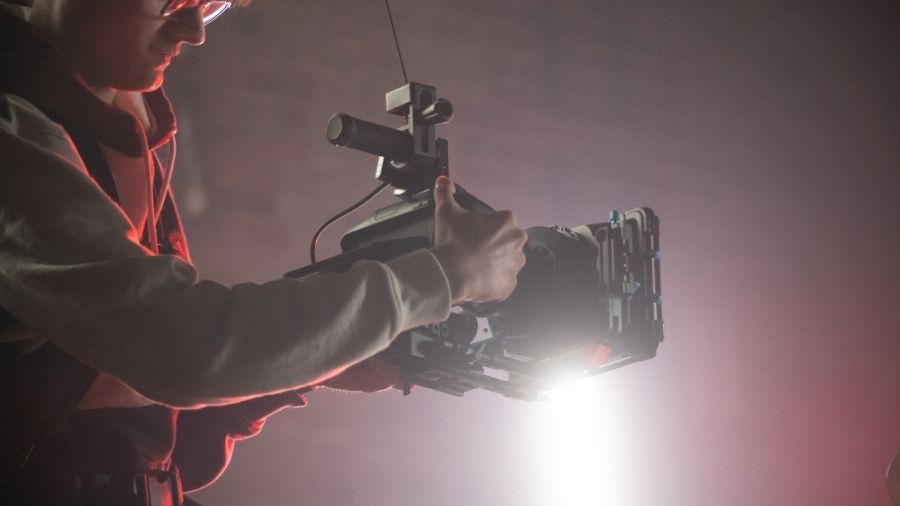
You don't need expensive equipment to film a professional-looking music video. A smartphone or mirrorless camera is a good starting point. Use a wide-angle lens (24–35mm) for locations, a portrait lens (50–85mm) for close-ups, or a zoom lens for flexibility. A tripod keeps shots steady, while a gimbal allows smooth camera movement. Good lighting is equally important: use natural light or an LED with a softbox to soften shadows. Add lamps or coloured lights to create atmosphere.
Location Scouting
Location scouting is essential for setting the tone of your music video, as each location contributes its unique vibe. Filming in multiple locations can add complexity and cost but also makes the video more dynamic. Choose locations with beautiful backdrops that enhance the song’s theme and story, ensuring they align with the overall aesthetic and feel of the video.
Casting and Crew
Casting and crew are essential for bringing your vision to life. You'll need performers, dancers, or background actors, along with a skilled crew, including camera operators, lighting technicians, and directors, to manage the technical aspects. Select performers who align with the music and concept, ensure you have a reliable crew, and clearly define each person’s role during production.
Filming the Music Video

When filming a music video, focus on key shots such as performance, choreography, cutaways, and slow-motion sequences. Start with performance shots, capturing the artist from different angles and locations. Use a low frame rate for performance shots with lyrics and a high frame rate for those without, creating slow-motion effects. Ensure the performance matches the energy and rhythm of the song, experimenting with camera angles to keep the visuals dynamic.
Next, capture choreography and movement, syncing the dance or actions with the music. Vary frame rates—low for regular speed and high for slow motion—to add creativity and depth. Don’t forget B-roll and cutaways like close-ups of hands, props, or instruments. When filming cutaways or close-ups, incorporating a musical instrument like a maraca or flute can enhance the visuals.
Lighting and Cinematography
Lighting and cinematography are essential in shaping the mood of a music video. The right lighting technique can significantly impact the emotional atmosphere—dramatic lighting for a somber tone or soft lighting for a relaxed, lighter feel. Experiment with setups such as key, fill, and backlighting to create depth, or use Rembrandt lighting for dramatic portraits with distinct shadows. High-key lighting, often used in upbeat or pop videos, provides a bright, evenly lit look. Tailor your lighting to match the song’s theme for maximum emotional impact.
Cinematography also plays a key role in enhancing the visuals. Explore various shot types to add dimension, such as symmetry, where mirrored elements create a balanced composition, and leading lines, which guide the viewer's eye and add depth. Silhouette shots, where the subject is captured as a dark shape against a bright background, create striking visuals. These techniques, when combined with thoughtful lighting, improve your video’s aesthetic and storytelling.
Post-Production and Editing
Once you’ve captured your footage, it’s time to bring it to life in post-production by syncing the shots with the music, adding transitions, colour grading, and visual effects. Popular editing software options include Final Cut Pro for Mac or Adobe Premiere Pro (Windows/Mac). Begin by organising and labelling your footage for easy access, then import it into your editing software. Using a clapperboard during filming helps sync audio with video, saving you time. In your timeline, arrange clips, using fast cuts (1-3 seconds) for high-energy sections, jump cuts for visual variety, and slow cuts (5-10 seconds) for emotional moments.
Color grading can set the tone of your video, with software like DaVinci Resolve offering advanced tools. Zooming in and out creatively emphasizes key moments, but should be used sparingly to avoid overwhelming the viewer. When exporting, choose the appropriate resolution based on your platform—4K for the highest quality, 1080p for a balance of quality and file size, and 720p for quicker uploads. Ensure your audio is synced, and always review the final video to confirm smooth pacing and correct colour grading before exporting in the desired format (MP4, MOV) and resolution.
Final Review, Distribution and Promotion
Before releasing your music video, check the lighting, pacing, sound and overall quality. Build anticipation with teasers, behind-the-scenes clips and a confirmed release date. Upload the finished video to YouTube with a searchable title, compelling thumbnail and clear description, then share short vertical clips on TikTok, Instagram Reels and YouTube Shorts to attract viewers. Encourage collaborators to promote the release, engage with comments and use YouTube Analytics to identify what works. Focus on consistent organic promotion before investing in paid advertising.