
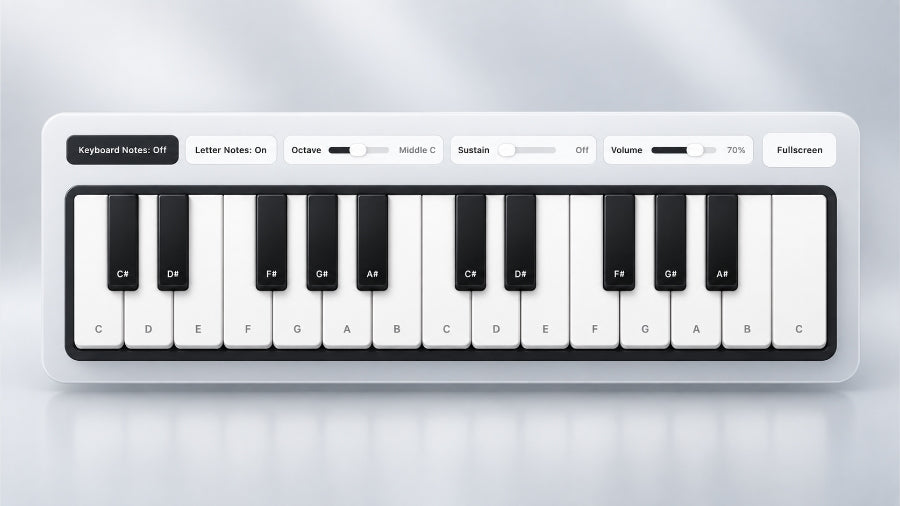
A free online virtual piano keyboard lets you play piano notes, chords and songs directly in your browser without downloading an app or owning a physical keyboard. The Carved Culture Virtual Piano has 25 playable keys and works with a mouse, touchscreen or computer keyboard, making it useful for beginners learning notes, musicians testing melodies, or anyone who simply wants to play piano online.
How to Use the Virtual Piano
Playing the virtual piano is simple: click or tap the piano keys to hear individual notes or use your computer keyboard for faster playing. You can play single notes to practise melodies or combine notes to form chords. If you already know a song, you can begin playing it immediately; beginners can use the note labels and keyboard controls to learn where each note is located before progressing to complete melodies.
Virtual Piano Features
The controls let you adapt the virtual keyboard to how you want to play. Keyboard Notes show which computer keys correspond to each piano key, while Letter Notes display the actual musical notes such as C, D, E, F, G, A and B. The octave control lets you move between lower, middle and higher pitches, while variable sustain changes how long notes continue ringing after they are played. You can also adjust the volume and switch to fullscreen mode for a larger, distraction-free keyboard.
Play Songs on the Virtual Piano
You can get more from the virtual piano by using it to practise complete songs rather than playing individual notes at random. Our Piano Sheet Songbook contains beginner-friendly arrangements that you can follow using the virtual keyboard, allowing you to open a song and start practising it immediately in your browser. This gives the virtual piano a clear learning purpose and provides a simple bridge between experimenting online and eventually playing on a physical piano or keyboard.
Getting the Most From the Virtual Piano
Start by turning on Letter Notes if you are learning where notes are positioned, or use Keyboard Notes if you want to play efficiently from your computer keyboard. Practise melodies slowly before increasing your speed, use sustain when a song needs notes to ring together, and change the octave when you need notes outside the middle range. Once you can play the notes accurately, a metronome can help you practise the same music at a steady tempo.
Play the Virtual Piano

The Carved Culture Virtual Piano is free to use and gives you 25 playable keys, adjustable octaves, variable sustain, note labels, keyboard controls, volume adjustment and fullscreen mode. Open it in your browser and start experimenting with notes, chords or complete songs straight away.


