
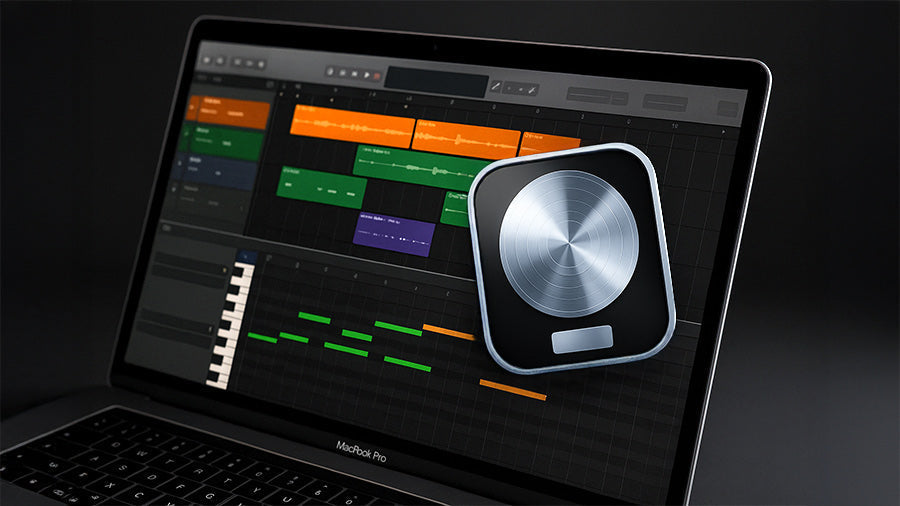
Sound packs instantly add depth, texture, and authenticity to your music, whether you’re new or experienced. Our professionally recorded samples—ranging from African hosho shakers to melodic kalimbas—help your tracks sound organic and polished. Here’s a quick step-by-step guide to using a sound pack in Logic Pro, perfect for first-time users.
Step 1: Download and Unzip Your Sound Pack
After purchase, you’ll receive an instant digital download link. Once the file is downloaded, unzip the folder to reveal all your samples—these come in high-quality WAV format, ready to drop straight into Logic Pro. We recommend that you keep your sound packs organized by creating a dedicated “Samples” folder on your computer.
Step 2: Open a New Project in Logic Pro
Open Logic Pro and start by creating a new project—you can choose an empty session or a basic instrument template to get going. Then, set your tempo (BPM) and key to match the mood or energy of your track. This simple setup step lays the foundation for a smooth workflow, helping your imported sound pack samples fit naturally into the rhythm and feel of your song.
Step 3: Import Your Sounds
To start creating, simply drag and drop any sample from your Carved Culture sound pack straight into the Logic Pro timeline—it will instantly appear as an audio region, ready to use. You can preview, mix, and test different sounds like shakers, bells, drums, or melodic instruments to find the perfect combination that enhances your track’s rhythm and texture.
Step 4: Arrange, Loop, and Layer
This is where your creativity takes shape—loop rhythmic samples like shakers or percussion to build a steady groove, then layer melodic sounds such as kalimba or panpipes over your drum or bass tracks for richness and depth. You can even combine samples from different Carved Culture packs to create a complete arrangement. For an original edge, try blending natural instruments with digital synths to craft a dynamic, hybrid sound that stands out.
Step 5: Add Effects and Adjust Levels
Enhance your mix using Logic Pro’s built-in effects to polish your sound. Start with EQ to shape tone and remove unwanted frequencies, then add reverb or delay for space and atmosphere. Apply compression to even out volume and keep the mix balanced. Since every Carved Culture sample is already professionally recorded, only subtle adjustments are needed to make your track sound full and professional.
Step 6: Export and Save Your Track
Once your mix feels right, bounce your project as a WAV or MP3 file. You can now share your new creation on streaming platforms, social media, or with collaborators.
Why Use Carved Culture Sound Packs?

Carved Culture Sound Packs give you over 400 authentic, high-quality samples recorded from real instruments across the world, designed to add richness and depth to any project. Whether you’re producing music, scoring films, or creating content, these sounds blend effortlessly into your workflow.
Each pack comes in studio-grade WAV format, includes a commercial use license, and offers instant download access—no subscription needed. Fully compatible with Logic Pro, FL Studio, Ableton Live, and GarageBand, they’re the perfect tools to elevate your productions with global authenticity and professional clarity.


